
Unread Mail
All inboxes, selected accounts or one mailbox. A clear count, optional sender preview and a brief highlight when it grows.
APPLE MAIL × STREAM DECK
See what’s waiting. Open the right inbox. Flag, file and reply from keys that fit the way you work.
Made for macOS · Uses your existing Apple Mail accounts
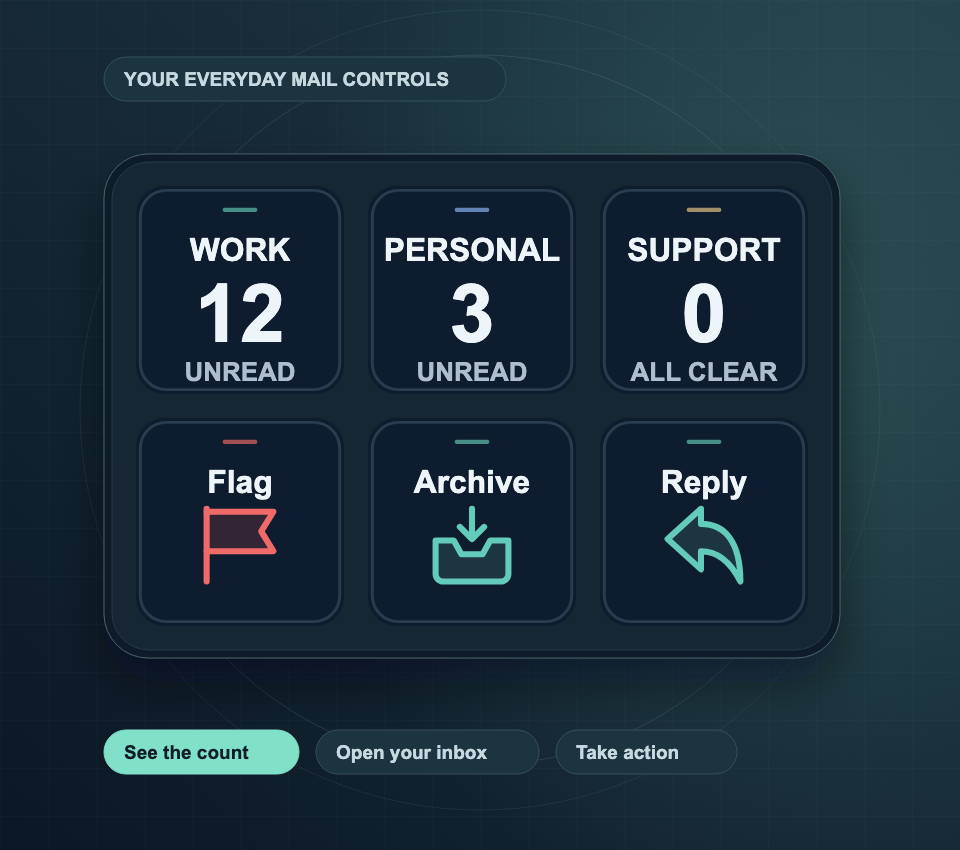
A PLACE FOR EVERY INBOX
Give each account or mailbox a key of its own. Keep the count in view, without switching away from what you’re doing.
PRESSOpen the saved mailbox.
HOLDAsk Mail for new messages.
A CLEARER KIND OF UPDATE
12 · UNREAD
Illustrative data. Not connected to Mail.
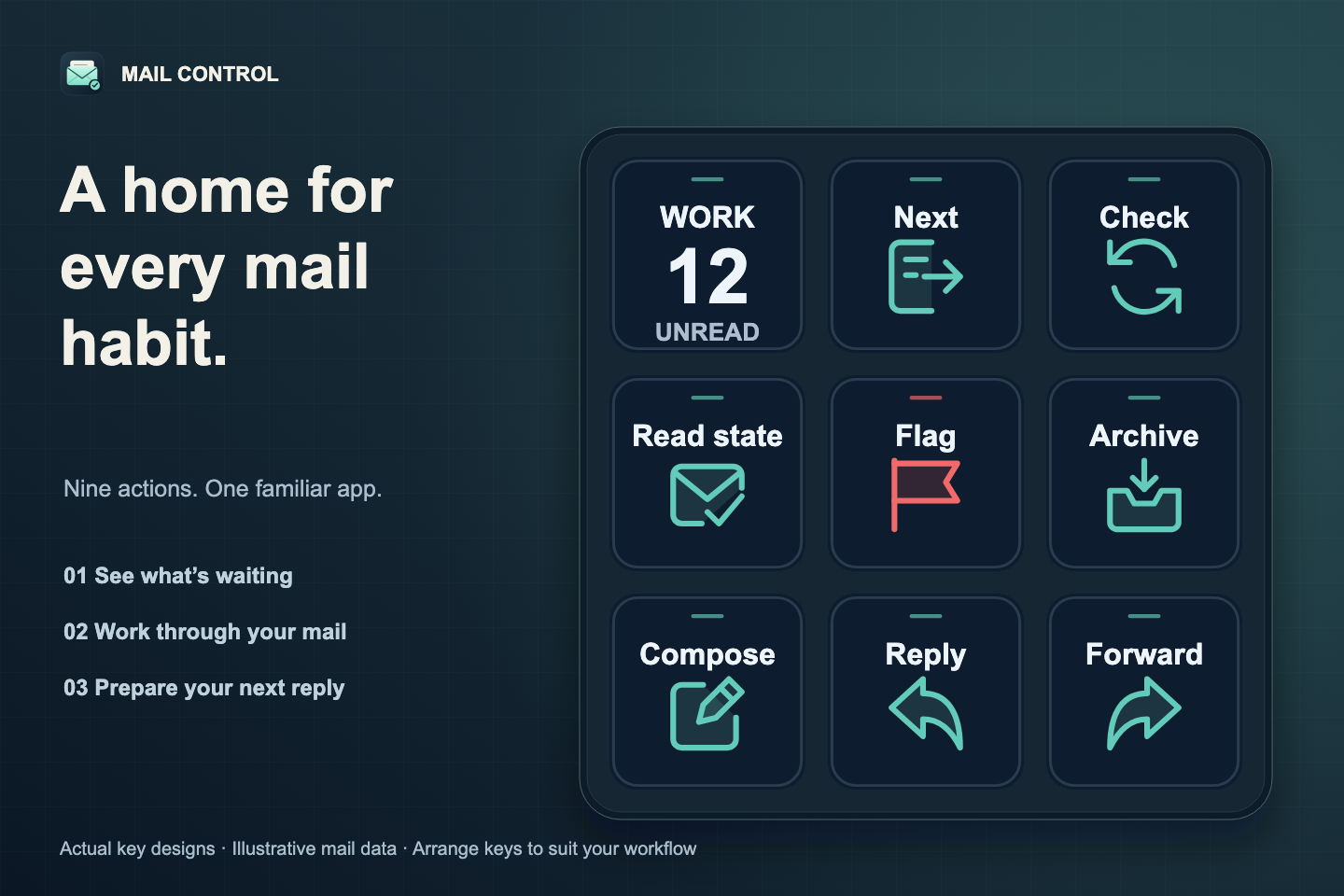
NINE EVERYDAY CONTROLS
Read and write in Mail. Let your keys handle the shortcuts, filing and everyday actions around it.
All inboxes, selected accounts or one mailbox. A clear count, optional sender preview and a brief highlight when it grows.

Open the oldest pending message or jump to the newest. Read and reply in Mail.

Change the selected messages’ status. A mixed selection becomes read when toggled.

Choose a color once. Press to apply it; press again to remove that same flag.

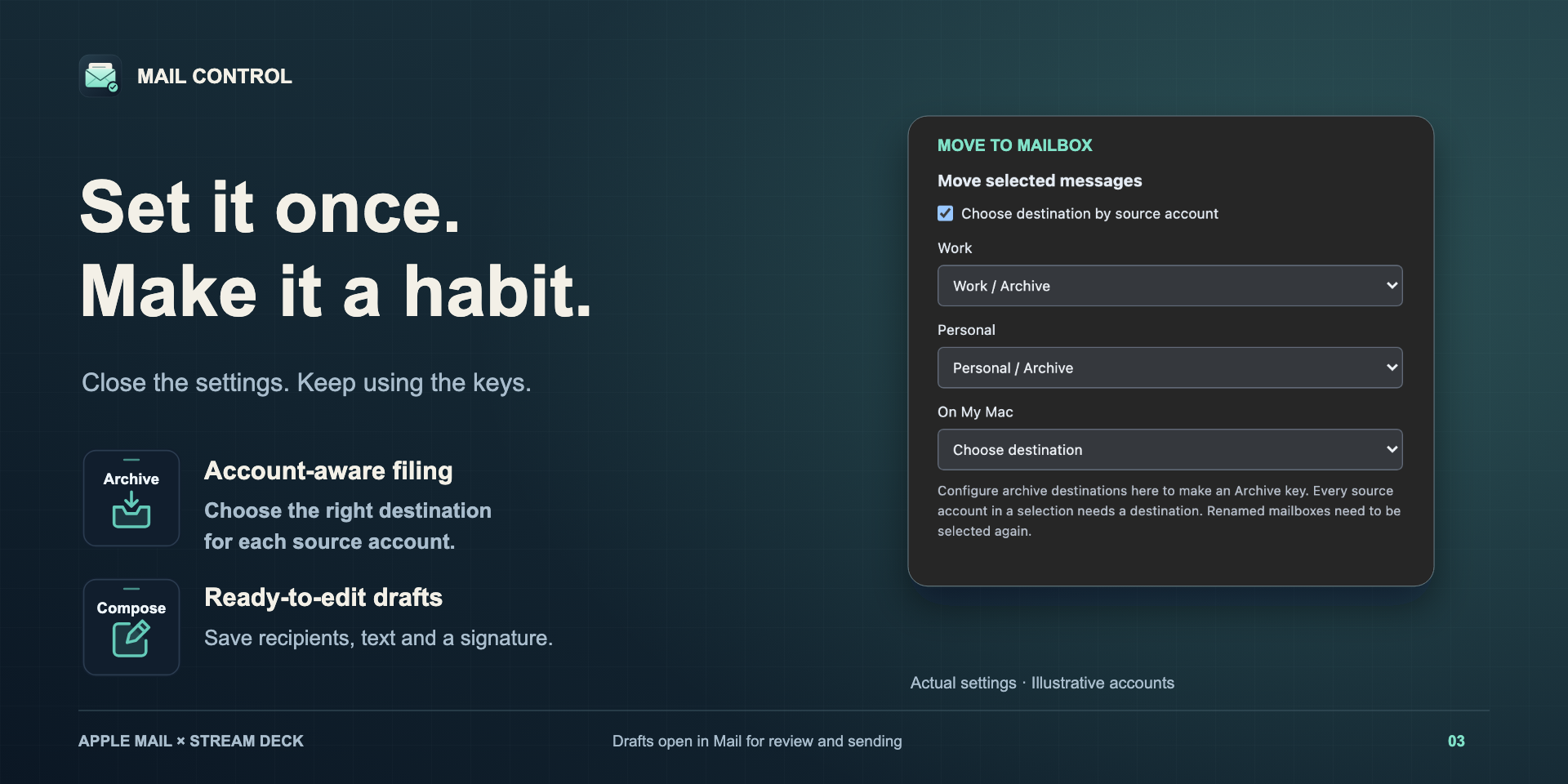
File your selection in a saved folder. Assign destinations per source account for an Archive key.

Start a blank draft or a prepared template with recipients, text and a Mail signature.

Reply to the sender or everyone. Add a saved opening line while keeping the quoted context.

Open a forward draft for the selected message. Review recipients and send from Mail.

Ask Mail to fetch new messages from all or selected accounts. Mail handles synchronization.
BUILT AROUND YOUR HABITS
A dedicated Archive key can file each account’s messages in the right place. A Compose key can open your regular update with the recipients and text already prepared.
CONFIGURE ONCE
Requires macOS 26 or later, Stream Deck 7.1 or later, and accounts set up in Apple Mail. Uses Stream Deck keys.
Install the Mail Control plugin package and drag actions into your Stream Deck layout.
Choose “Connect & load mailboxes” in a key’s settings. Allow control of Mail when macOS asks.
Choose accounts, filing destinations, flag colors or draft templates. Changes save automatically.
Keep Mail running, even in the background. Selection actions use the messages you select in Mail.
GOOD TO KNOW
No. Stream Deck runs in the background. Its configuration window is only needed when you want to change a key’s preferences.
Mail Control uses macOS Automation to control Mail. If access is denied, open System Settings → Privacy & Security → Automation and allow the application macOS identifies as controlling Mail. Then reconnect. Passive polling never requests access.
The key shows “Open Mail”. Press a key or Connect to start it. Passive updates do not reopen Mail. For selection actions, the first press only opens Mail; select your messages before pressing again.
Visible counters refresh every 15 seconds and after actions. They reflect Mail’s local state, which depends on its account synchronization. A mailbox count excludes its subfolders; account inbox selection uses the canonical INBOX mailbox. Smart Mailboxes are not supported.
Unread counts do not scan message contents. Sender previews and Next Unread inspect up to 5,000 unread candidates. Selection actions handle up to 200 messages; Reply and Forward require one. A preview limit does not prevent the unread counter from working. Counts above 9,999 display as 9,999+.
The plugin processes Mail information locally and has no telemetry. Mail manages provider connections and credentials. Your chosen settings and draft templates are saved through Stream Deck. Mailbox catalogs and sender previews stay in memory and are not logged.
Review the affected messages in Mail before pressing again. Mail operations are not transactional; a failure or timeout may occur after some messages have moved. The plugin never automatically repeats a mutation.