Local by nature.
Reads the working trees already on your computer. No account, token, backend or telemetry.
 Repo
Garden
Repo
Garden
GIT MEETS STREAM DECK
Your projects have a life of their own.
Give them a little space
on your desk.
Local by nature · Read-only · No account needed
01 / A GLANCE IS ENOUGH
Changes become new leaves. Pending commits bloom. Conflicts grow thorns.
Actual plugin rendering. Illustrative repositories. Press a plant to see its Git details.
Reads the working trees already on your computer. No account, token, backend or telemetry.
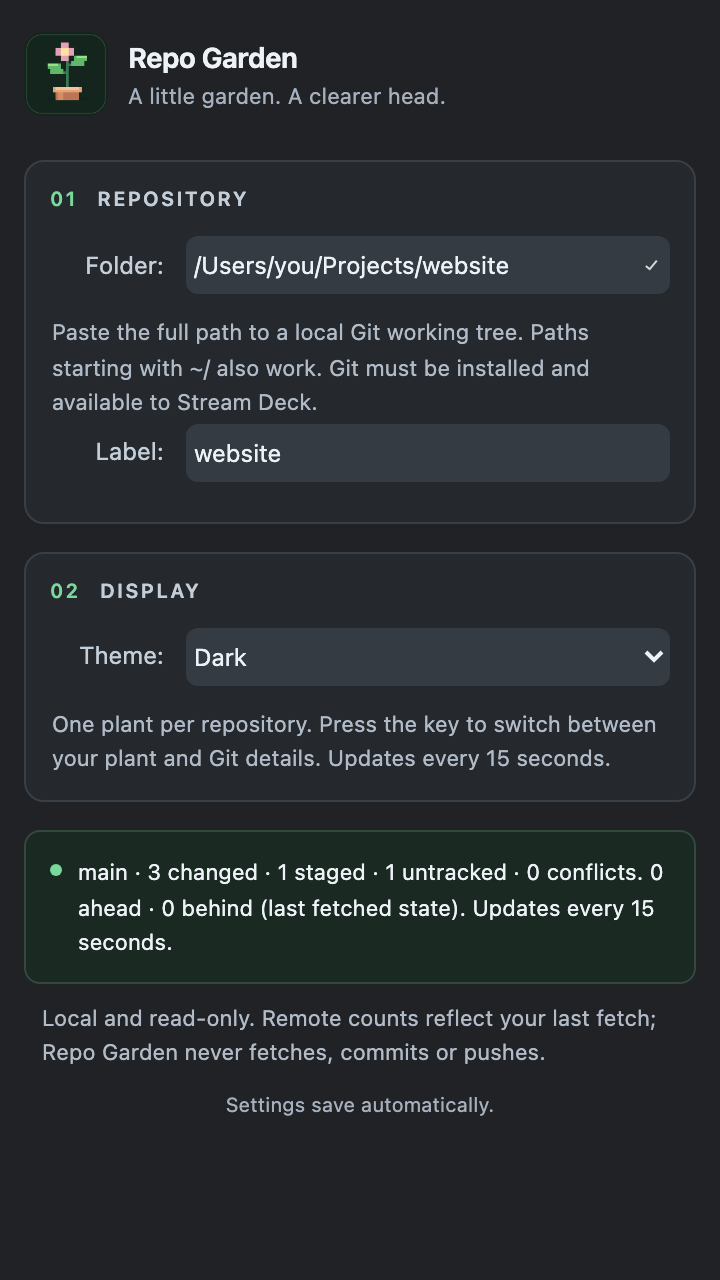
Press for your branch, changed and staged entries, and ahead/behind counts. Refreshes every 15 seconds.
A quiet repository stays healthy. No streaks to maintain, no plant to rescue after a weekend away.
02 / PUT DOWN ROOTS
Designed for macOS and Windows. Requires Stream Deck and Git available on your desktop PATH.
Remote counts reflect your last fetch. Repo Garden never fetches, commits, pushes or modifies your working tree.
A LITTLE GREEN, ALWAYS IN SIGHT
A familiar place for every repository. A clearer view of what needs your attention.
Plant your first repo