FIND YOUR FOCUS
Open Destination
Your lists, projects and areas, one press away. Add tag filters where supported.
THINGS 3 × STREAM DECK
A thought to capture. A task to finish. A project to get back to. Give the little things a key of their own.
Find your next shortcutFor Things 3 on macOS and Stream Deck.

LESS SWITCHING. MORE DOING.
Choose the actions you reach for most. Set a destination, save a template or keep your next task in sight.
FIND YOUR FOCUS
Your lists, projects and areas, one press away. Add tag filters where supported.
CATCH THE THOUGHT
Open Things Quick Entry, with an optional title and notes ready to edit.
SKIP THE SETUP
Create a task with its notes, tags, dates and checklist already in place.
START WITH A PLAN
Turn a familiar process into a project with headings and task titles.
PICK UP THE THREAD
Return to a saved query, or open an empty search for something new.
SEE WHERE YOU STAND
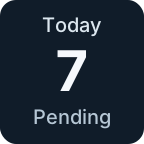
See open tasks in a destination at a glance. Press the count to jump there.
KEEP WHAT MATTERS CLOSE
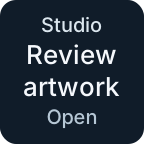
Pin a task or show the first pending one. Choose to open or complete it with a press.
MOVE WORK FORWARD
Complete, move, schedule or tag selected tasks while Things is frontmost.
Your labels. Your destinations. English and Spanish interfaces, following your Stream Deck language.
MAKE IT YOURS
Start with one action. Build the rest around the way you work.
Just getting started? Quick Capture and Search work without choosing a destination.
Install Things Control in Stream Deck, open Things 3 and drag an action onto a key.
For destination-based actions, choose “Load destinations from Things”, then pick a list, project or area. Settings save automatically.
Allow macOS Automation access when prompted. Enable Things URLs in Things settings for navigation and templates.
LOCAL BY DESIGN
Things stays the home for your tasks. Stream Deck gives you another way to reach them.
Things Control uses macOS automation and Things links. It does not access your Things database, collect analytics or send task data to an external service. Things manages its own synchronization.
Keep Things open to load destinations and refresh counts or tasks. Background refresh does not launch it. Quick Capture can open Things when you press the key.
Configured, visible keys refresh every 15 seconds. Hidden keys stop refreshing. Counts include open tasks returned for the destination, so they may differ from Things’ sidebar badges.
Open Things and check System Settings → Privacy & Security → Automation. Reopen the action’s settings for the detailed status. After a failed or timed-out change, review Things before retrying: a batch may have partially completed.
Templates create new items each time. Check Things after submitting before pressing again. Project templates support headings and task titles; editing existing checklists is not included. Repeating tasks have integration restrictions.
The plugin follows your Stream Deck language, with English and Spanish interfaces and English fallback for other languages. Your task and destination names stay exactly as you wrote them.