Activity
Shows today's accumulated time for one activity. Press to start or pause; choosing another activity stops the previous one.
 Time
Ledger
Time
Ledger
A little clarity for your day.
Work. Study. The things you make time for.
Track them with a single press on Stream Deck.
Local by design. No account required.
 Your day, a little more visible.
Less setup. More living.
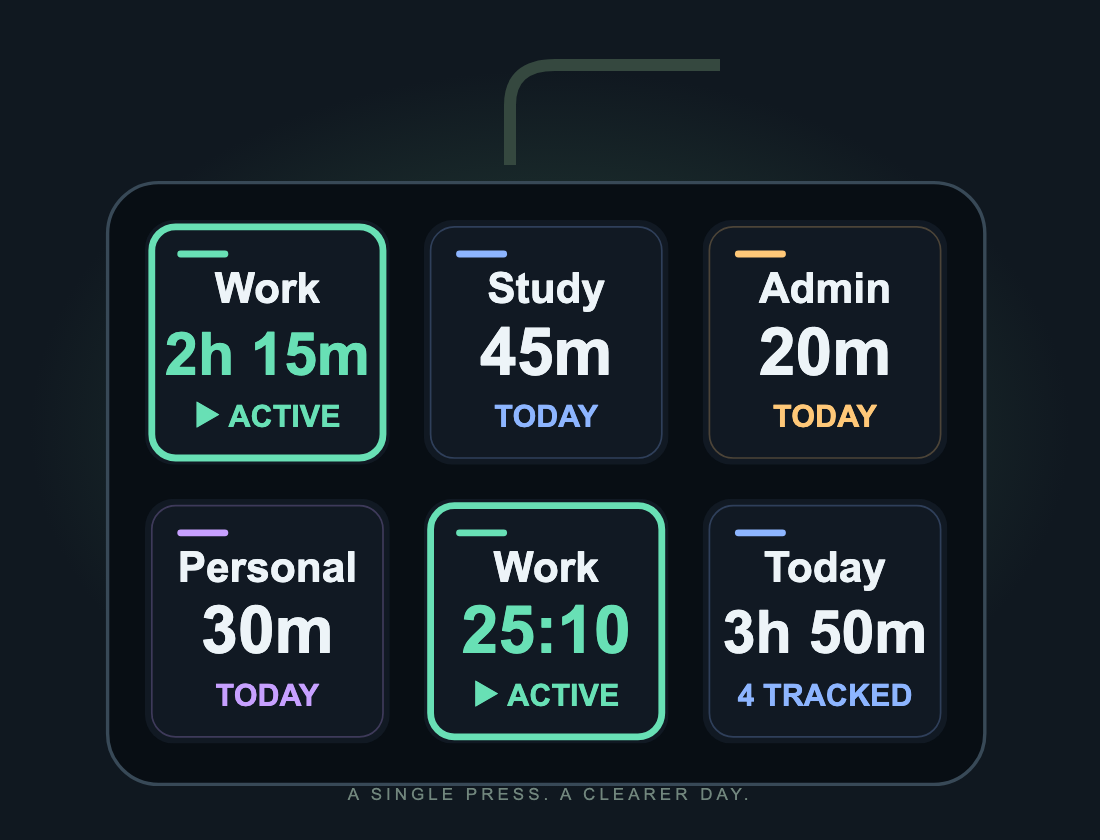
Start with an Activity key. Add Current and Summary whenever you want a wider view.
Shows today's accumulated time for one activity. Press to start or pause; choosing another activity stops the previous one.
Shows what you're doing and how long this session has lasted. Press to pause or resume the last activity, even from another profile.
Shows the total across all your activities. Press to switch between today and this week.
One press changes the picture.
A morning example: press Work at 9:00, Study at 11:15, then Study again at 12:00 to pause. That's 2h 15m of work and 45m of study. Try switching the keys below.
Interactive illustration with sample data. This demo does not track or save your time.
Work is active in this illustration.
Real life isn't a perfect timesheet.
Add a missed session, adjust its start and end, or move it to the right activity. Time Ledger checks for overlapping sessions so your totals stay meaningful.
Illustrative session
If tracking is interrupted, the uncertain interval is held for review. You decide whether to include it. It isn't silently counted as work.
Export a date range as CSV with timestamps and durations. Useful for your own records, a spreadsheet or preparing client hours.
A ledger, not another login.
Activities and sessions stay on your computer. No account, telemetry or cloud service. Download a complete ledger backup whenever you need one.
Stored outside the plugin. Your history lives in your operating system's user application-data folder.
Nothing expires silently. History is not automatically deleted. Export backups before moving computers or clearing application data.
Simple, explicit limits. Up to 200 activities and 50,000 sessions. You'll be told when storage needs attention.
Start with one key.
No. Tracking is shared across your Time Ledger keys and continues when you change profiles or lock your screen. Sleep and application interruptions are reviewed on return.
Select a Time Ledger key in Stream Deck to open its settings. Activities manages names, colors and archiving without losing history. History lets you filter, correct or add sessions. Reports contains date-range totals, CSV exports, time-zone settings and backups.
Reports divide the time at day boundaries in your chosen report time zone. Weeks start on Monday. The underlying session keeps its exact timestamps.
Keys on devices connected to the same Stream Deck application share one ledger and one active activity. Separate computers have separate ledgers; there is no cloud synchronization.
The complete activity and session ledger, including any interrupted interval. Restoring replaces the current ledger and requires tracking to be paused. Key assignments and report time-zone preferences are separate.