Follow the shape.
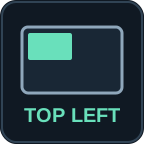
Each icon fills the part of the screen your window will occupy. Halves, corners and thirds are instantly distinct.
 WINDOW
FOR MAGNET + STREAM DECK
Arrange your workspace by position, not by memory. Recognizable keys put halves, corners and thirds within reach.
macOS · Magnet required · Native hotkey actions
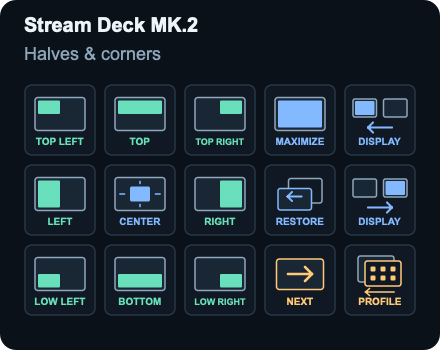
Each icon fills the part of the screen your window will occupy. Halves, corners and thirds are instantly distinct.
Spatial groups stay together. Navigation has its own color. Deliberate gaps keep the layout easy to read.
Compact decks use focused pages. Wide decks put all 19 commands on one page. Each layout makes use of its space.
A MAP FOR YOUR WORKSPACE
Explore the actual layouts and shortcuts.
This preview does not control your Mac.
Select a key to see its shortcut.
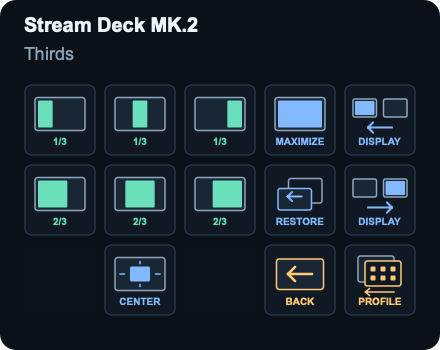
See every device and page in the illustrated setup guide.
Layouts for Mini, Neo, +, Original, MK.2, XL, + XL and Galleon 100 SD. Original and MK.2 include a PROFILE key on both pages; choose its return destination in Stream Deck after import. Mobile and Virtual Stream Deck can use matching-grid imports; see the setup guide. Dials are not assigned.
A FEW MINUTES TO MAKE IT YOURS
The profiles use native hotkeys and page navigation. No scripts, network calls or telemetry are included. Magnet must be running, and the shortcuts must match. Window resizing depends on the app; display moves require another monitor. Icons describe landscape layouts and do not adapt to monitor orientation.
Profile updates are imported manually, so your personalized layout stays yours.